Monday, August 8, 2016

Windows 10 offer ended

As you may have heard, Windows 10's free upgrade offer ended 9 days ago. Remember in my tablet review when I said I wouldn't upgrade? Well, since this was the last chance, I did.

This post is meant as a warning. Windows 10 is slow, flaky spyware. If you don't believe me, check out the numerous 1-star reviews on Amazon.

[Update 08/13/2016] This afternoon I successfully restored Windows 8.1 on my tablet. Having 80% memory in use just from booting up, not to mention constant CPU load, got old fast. Now the initial memory load is 58% and the CPU gets sufficient downtime to down-clock to 560 MHz. I was fortunate; others online have reported failure when using Windows 10's go-back feature. The only hitch was having to reinstall 3rd-party apps like Shazam (however, in this case all my previous Shazams were preserved).

The Bad

Think of Windows 10 as a reincarnation of Windows ME, except that now we have always-on broadband rather than dial-up so it can phone-home about everything you do.

It wasn't this bad before. When I first got into the Insider program they had just released Build 9926, which worked brilliantly. The only fault I found was that it didn't fully support the multimonitor feature on my outdated video card (but the card could accelerate everything perfectly, so the UI was quick and snappy like XP). I had left XP to beta-test and was very satisfied. It was so stable that I stayed with it and made it my "production" OS. I hope to stress the irony that the beta worked better than the release. As I said before, gotta love mandatory updates.

Things turned bad a few months after the big 2015 public release. Unless I'm quite mistaken, it was a certain update that made Windows 10 as bad as it is now. After having to reboot one day, I started getting Out of Memory dialogs all the time. The problem was, I was running a light-normal program load on 2GB RAM, and this had never happened before. Windows XP handled bigger loads without complaining, and so did earlier Windows 10 builds. I checked Task Manager but it reported nowhere near even 80% memory load. I was treading on thin ice whenever I opened anything now. My computer was essentially useless, not to mention getting slower every day.

All this happened because Microsoft now owned my PC. But it gets worse. Once I was syncing a Bitcoin "node" overnight. In case you've never heard of one, a Bitcoin node is a server that somehow supports the Bitcoin network. You can't close it without waiting for it to save everything or you lose the entire transaction history, which right now is 85GB. On this night Windows 10 had installed an update and "helpfully" rebooted for me without asking. This behavior is unprecedented and unacceptable in production environments.

Then there's the Start menu. Aside from being an annoying layout, I have to ask, what is the UI running on? Some kind of "Universal" emulator? Assuming you have a decent PC, a menu should fly onto the screen as in earlier versions. Clicking something in Windows 10 often took so long to respond that I thought my mouse was broken and I would click again.

And here's something really scary. Forget the constant spying and stories of keyloggers. Windows Update now has peer-to-peer functionality. In other words, Microsoft is saving themselves Internet traffic by having Windows 10 PC's "torrent" updates to each other. Does that not sound like a hacker's dream? Windows already forces updates, so what happens when (not if) someone writes a bogus update and pushes it onto the P2P update system?


Here's how my tablet (also 2 GB RAM) reacted to Windows 10. It came with Windows 8.1 and never had issues. Now, I boot it up and Skype loads automatically, minimized, as usual. I open Opera, whose recent releases are praised for low memory consumption. I open 2 YouTube tabs and, "Your computer is low on memory" after which the screen will sometimes randomly scramble like bad digital TV. And if I close everything, Windows' own Universal apps like Email (BTW, the new Email is inferior to the Windows 8.1 version) have trouble running without triggering a low-memory error. My tablet has become little more than a paperweight.

The Good

Microsoft's tech support is pretty amazing. During a support call on July 25 I gave permission to do a remote-desktop control session and the tech, Lizell D, upgraded my tablet for me. I would've done it myself, but Microsoft's upgrader complained of needing about 16 GB free space which isn't possible on a 32GB tablet. Microsoft must really want Windows 10 installed for them to provide me with a 50 minute support call for free.


I also received an email from Microsoft on July 29. Here's how it began:

Subject: Thank you for making the first year of Windows 10 amazing.
----
Hello Windows Insider –

Over the last year, Windows Insiders like you have continued to help make Windows 10 even more amazing. Today, we celebrate the one-year anniversary by celebrating you, our Insiders. Thanks to your feedback, Windows is the best it can be — and getting better every day.
----

As for the subject, the only thing amazing about the first year (July 2015-July 2016) was that Microsoft got to release something without spending anything on pre-release testing.

"Windows is the best it can be".  Define "best".

"And getting better every day." I can almost buy that.
Microsoft claims Windows 10 is the last version and that from now on it'll just be updates. I find that hard to believe. I'm sure years from now they won't be able to resist releasing Windows 11 or 12. But if it's true then maybe Microsoft will someday get its act together and Windows 10 will be fixed through updates, a little like how they fixed Vista by patching bugs and then calling it Windows 7.

Friday, August 5, 2016

Long-Term Waterfall on SDRplay

I was really impressed by the 24-hour waterfall at http://websdr.ewi.utwente.nl:8901/fullday/, especially the eclipse one. I wrote to the creator and he informed me that he designed custom software and that it wouldn't work with other SDR's. I've been looking for a way to accomplish this with my SDRplay, and after many months I've figured out a cumbersome way to emulate it in mid-June. However, Nathan Towne has recently finished an app that can do all of this automatically. See this RTL-SDR Blog post.

One application of this would be to find the most commonly used police frequencies in 850 MHz. I know of rtl_power, but it only supports the RTL dongle. Then there's GQRX, but I have yet to make it interface with the SDRplay.

One evening I accidentally clicked the Speed label directly under the FFT in HDSDR. I was sure I had previously clicked and right-clicked everything to find all the features, but this time it opened a waterfall timespan dialog, prompting me to enter a number of minutes. This was very exciting and I tried it out. I ran it on HF overnight and checked in the morning. I could clearly see when stations faded and disappeared as the sun came up, complete with time labels on the left.

Unfortunately, this simplistic method works not by averaging the spectrum, but by only drawing a new waterfall line at the right interval to fill the screen in the predetermined amount of time. This means anything that happens between intervals is lost. What's worse, the number of minutes wasn't even accurate: there seems to be "padding" of maybe 30 pixels on the top and bottom of the waterfall, so if you set it to 1 minute you might end up with a 1 minute 10 second waterfall (not exactly 1m10s. I was guesstimating, but you get the idea).

I wanted to be able to generate good long-term waterfalls, so I decided to turn off time-based waterfall span, restoring HDSDR to the original setting with the slider. I was then able to fine-tune it until each complete cycle of the waterfall spanned 1 minute, +/- <2 seconds.

Then I downloaded a program called Chronolapse which takes screenshots at specified intervals. I set it to only capture the waterfall area and take a PNG snapshot every 60 seconds. I then averaged them by using the bulk resize feature in IrfanView. My screen is 1920x1080 so HDSDR's waterfall section was about 1918x476. Using IrfanView I resampled (better quality than resizing) them down to 1918x1.

After this I wrote an app in Liberty BASIC to quickly compile the list of resulting files into an HTML page. With <img> tags followed by <br>'s, each image touched the next without padding and produced a real average. I manually took a snapshot of HDSDR and cropped it to get the frequency scale. I then added some code to reference this scale by a relative path so that each HTML file would have it at the top.

Here's an example from June 21, 2016. Each vertical pixel represents 1 minute and the image spans from 9 PM to 9 AM the next morning. Click to enlarge.


Here's a zip file containing similar long-term waterfalls from June 21 to June 30, 2016, recorded with my SDRplay hooked to a longwire antenna. You can flip through them to see the similarities. Let me know in the comments what you think.

I think there's a lot that can be gathered from these. For example, a certain signal on 3955 kHz is repeated at the same time on several nights, and 3885 kHz seems to be a common frequency for AM traffic. On some nights you can see that the ionosphere is dead and almost nothing comes through.

My favorite part is the drifting lines that show up on some of these. The strong, pixel-perfect red ones are my RCA LED TV, but the faint blue ones a couple of pixels wide are a mystery to me.

August 2016 Status Update

Hey everyone, I'm back. It's been quite a while since I did a post. The last one was about cable box encryption, but it seems no one cared to comment.

I'd like to share a couple of topics I've been waiting to write on. The first is that I've just opened a new cell phone page (as opposed to a post). One of its objectives is to offer cell tower downlink IQ files for experimentation, the idea being that sigidwiki.com doesn't offer everything and some interesting services may not be available everywhere.

For example, here in central SC I can receive what looks like 850 MHz CLR. That makes sense because some sources say it's used in rural areas (although others say it's also used in big cities). In my area Verizon and Cricket work well (both 3G), so maybe what I'm seeing is Cricket/AT&T. Cingular 2G has had poor performance until recently (described below).

Here's something odd: my 2G phone has been unpaid for many months since it's useless here. The odd part is that several weeks ago it went from poor reception to Unregistered SIM Card. Not only that, but about this time it suddenly lost the date when the battery died and hasn't been able to set it again. These incidents make me suspect that what little 2G this area had has been 'sunsetted', but maybe it's not so serious; perhaps my phone is simply out of coverage.

Another objective of that page is to decode clear 3G traffic, if possible, and publish my progress, effectively creating tutorials as I go along.


And finally, I've also released a post on making long-term waterfalls on the SDRplay which opens up a lot of possibilities.

Sunday, July 10, 2016

Seeking Comment: Pay Channel Activation Convenience

Let's assume TV broadcasters transmitted both free and pay channels in the air. The pay channels are encrypted with AES-256. This is not like CableCard; each channel has its own code, like Wi-Fi, and the code can change monthly, yearly, or even stay the same forever. The frequency of change is up to the broadcaster.

If you had a Yagi on your roof connected to a "cable" box that could decode the pay channels only if you entered a code mailed or emailed to paying customers, how would you prefer to enter the codes?

  1. A keypad on the front of the box, or an onscreen keyboard controlled by the remote. You tune in the particular channel and enter its code, and the box remembers it until it changes.
  2. The codes are emailed to you by each individual broadcaster. Using Excel, you copy-paste them into a CSV file, place it on a MicroSD card, and stick it in your box.
  3. The codes are mailed on cards as both readable text and a QR code. You connect your (preferably Android) phone by Bluetooth to the box, open a cable box app, and scan the codes, instantly activating each channel, albeit one by one.
  4. You have a lightweight, nonintrusive Windows app on your computer. You put in a MicroSD card and click Synchronize. The app has your customer info which you entered during installation. Each broadcaster's server verifies your info and returns the code like Windows activation, but (ideally) minus all the grief. The app loads them all onto the card in a matter of seconds, and you stick it in your box.
I'm open to other suggestions, as well. Tell me your opinion in the comments.

Saturday, May 21, 2016

Inmarsat Antenna Comparison

I'm taking a break from Iridium to experiment with Inmarsat. Even though the signals are weaker and require special antennas, I prefer a weaker constant signal to the hopping blowtorch bursts of Iridium.

Recently I built another of Adam 9A4QAV's antennas, this time his tin-can helix. I was just able to discern those relatively wide signals (~168 kHz) shown on killmore231's Imgur page. During a chat I had on #hearsat, @trango informed me that those are BGAN, which is an Internet service.

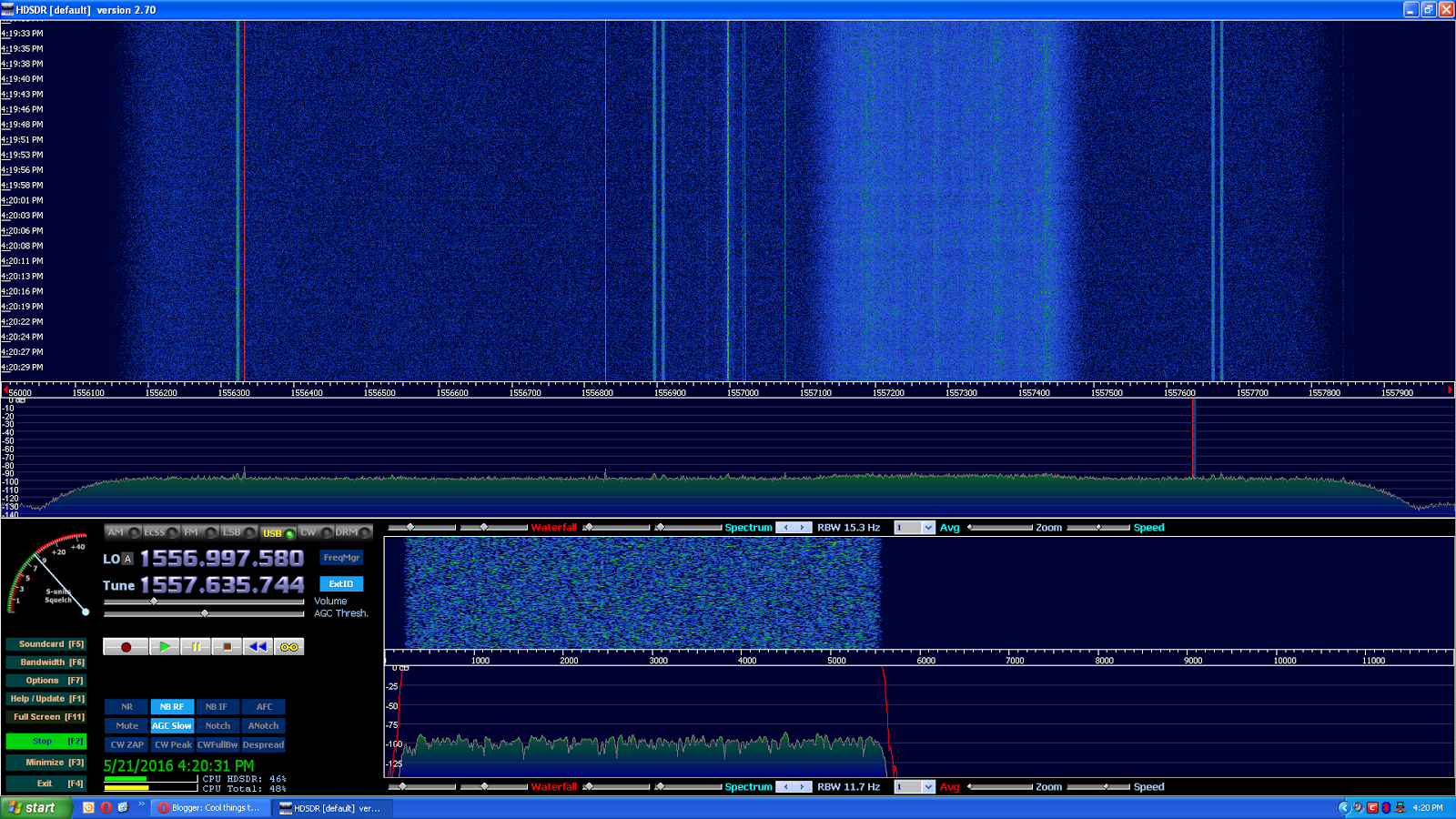
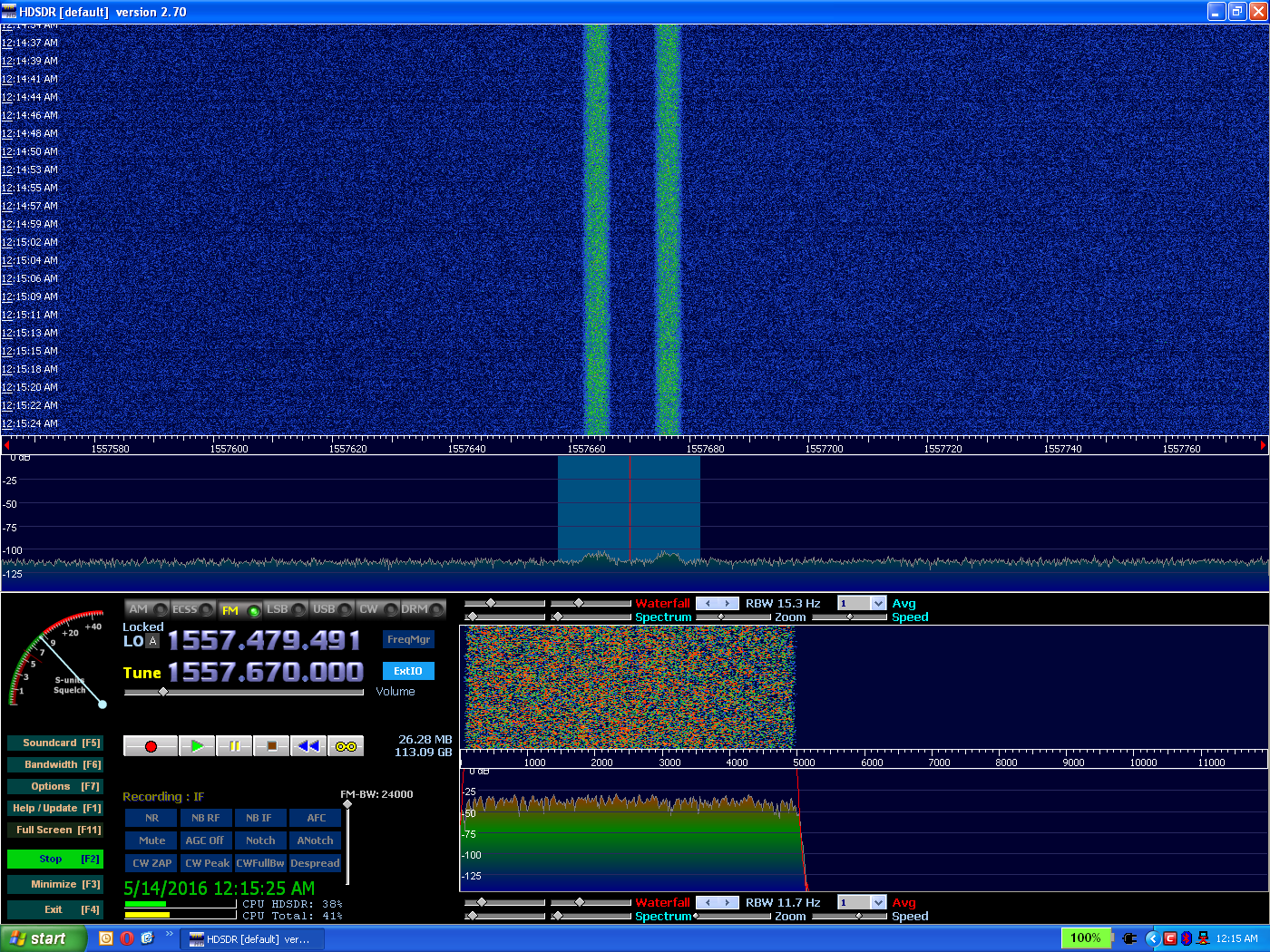
The next day I found an even wider signal (pictured), which neither @trango nor I could identify. I mention it because it came in pretty strong and I'm willing to bet I could've decoded it, if I had access to a decoder. My tin-can antenna is pretty directional (but not as much as the 10-turn helix), and this signal came in best when I was aimed southwest and pointed high. To my surprise, @trango was able to tell me it came from CONUS Inmarsat at 98W.

I'll provide a comparison of the helix antennas I've tried.

#1 (Okay): 9A4QAV tin-can helix (YouTube video)

Dimensions may be found in the video's comments.

This is what @trango told me was from CONUS Inmarsat 98W.

#2 (Better): 10-turn helix, steel wire, cutoff steel can ground plane, string suspension

I don't know why the signal is now wider.

This antenna was incredibly directional, maybe to within less than a degree. It took me very long to find the satellite, and when I did the antenna was aimed north (go figure). It was a windy day (this was minutes before a big thunderstorm struck) and the wind wiggling the helix caused it to fade in and out.

#3 (Worst): LHCP helix and 81cm DirecTV dish, indoors aimed at a south-facing window


People on #hearsat told me that a dish setup was the very best, but after this kind of performance I was in doubt. However, all I had to do was take the setup outdoors (see #3.1) and it outperformed the 10-turn helix.

I have been able to get a better indoor signal (see below), but the signal strength pictured above is pretty typical right now. On #hearsat I found that these are some kind of aircraft signal, I think 3372 kilobit QPSK, but so far JAERO won't do anything with them.


I like that I was able to at least see a signal indoors, but it really works much better outside.

#3.1 (Best): LHCP helix and 81cm DirecTV dish, outdoors


Notice how most of the signals are bright red. I suspect the poor indoor performance is partly due to the tree outside my window, and of course the glass and metal of the window.

I found that the perfect focal distance for L-band is in fact right where the original Ku/Ka LNB was, so you'll notice in the dish photos that that's where the helix is mounted.


No matter what, this wide signal seems to come in much stronger than the numerous ~168 kHz ones on killmore231's Imgur page. If I just knew what the really wide signal was, I'd decode it in GNUradio and publish the [non-personal] details.

Neat tip

I heard on #hearsat that using AM to demodulate QPSK will tell you the bitrate because there will be a spike in the audio waterfall. The frequency of the spike is your bitrate.

Safety Tips

Be very careful when working with steel cans. I managed not to cut myself when I was using tin shears to cut my antennas, but I made the mistake of putting the sharp scrap in the house trash. Days later a piece poked through the bag and got me while I was taking the trash out.

I also decided to wear eye protection since I was stripping steel wire that kept wanting to spring back. You never know what it might stab into...

Monday, May 9, 2016

TV decoding now on Windows

Recently they released GNUradio for Windows. It sounded too good to be true, but apparently it's for real. It needs Windows 7 and up, and is x64-only. I downloaded it and tried it out this morning and was able to decode ATSC with it.


My favorite part of using Windows, apart from not having to wait for Linux to boot, is that you can record to a RAM drive and then select that file in GNUradio without having to copy it to the hard drive (of course, you should stop the recorder first!) The only catch is that you must use double slashes on your output TS filename in GNUradio, or the flowgraph will fail under Windows.

Once they finish CUDA support for VOLK, we can use live IQ from the SDRplay and watch TV as it's decoded.

Links:
http://www.gcndevelopment.com/gnuradio/index.htm
You might want to see the Documentation, since it tells you little helpful things like clicking the GNUradio shortcut in the start menu; double-clicking .py files will not work.

Saturday, April 30, 2016

Drives over 2TB on Windows XP?

Before I bought my 8 TB Seagate external backup drive, I did a lot of research to see if it would work under Windows XP. Most sources claim that under no circumstances can XP read a drive over 2.2 TB. The then-price of $250 was a lot to gamble if it didn't work, so I had to know for sure. Fortunately, one source (probably Seagate or their Amazon listing) listed XP among compatible operating systems, so I bought it and it worked perfectly.

Most drives in the past (~1980s through early 2010s) had 512-byte sectors. Recently they've moved up to 4096-byte sectors. How does this help? Because each sector needs error correction codes, and it's more efficient to store 8 sectors' worth of information and error-code it once than to do it 8 times separately. This translates to higher drive capacity. The only catch is that ordinary BIOS-based computers can't boot from them (but they can be read as data drives by a running OS).

Most people argue that Windows XP can't read drives over 2.2 TB because the MBR partition table can only address 2^32 sectors, and since sectors are 512 bytes this means a 2TiB limit. One answer is to use GPT, but XP can't read that, so they conclude that GPT is the only option and hence XP is barred from using big drives. Microsoft's official stance is that XP can't read big drives, although I think this is to encourage sales of their newer operating systems.

The 2^32 part is right, but what these people fail to see is that MBR is addressing sectors, which is an arbitrary measure. Since drives now are 4K, each individual sector holds more, so bigger drives can be used by old operating systems.

This is all well and good if you buy a drive, because it would be pre-formatted. But what if you want to format the drive yourself? You shouldn't do it in an older operating system (probably includes Windows Vista) because, although it will format and be valid, the OS doesn't know to align the partition based on the sector size. Aligning it to an arbitrary offset was fine for 512-byte sectors, but it would slightly reduce performance on a 4K drive. Your partition should be offset by a multiple of 4096. If you want to verify that it is, then (under Windows XP), Click Start, Run, type msinfo32 and press Enter. In the System Information window that pops up, go to Components->Storage->Disks. Find your 4K drive and look for Partition Starting Offset.


One more concern voiced on a forum was that XP would only read the first 2TiB and experience errors on anything higher. I have disproved that by filling my 8 TB drive with about 3 TB of data and doing a search in Windows XP. There were no errors, so I am confident that XP had no issues. Besides, I went through some of the directory structure myself and looked at a few photos from a huge family album that has to have crossed the 2TB mark.

I think I've said enough. Here's a screenshot of the drive in Windows XP.


In a nutshell:


Myth #1: You can't use >2TB drives on Windows XP because they require GPT
Truth: While it's true XP doesn't support GPT, large drives don't need it*, so you're fine.
*Of course, if your >2TB drive has 512-byte sectors then you are out of luck.

Myth #2: XP only supports 512-byte sectors; Microsoft's official stance
Truth: Yeah, right. See first screenshot, in the Bytes/Sector field.

Myth #3: XP will only read and write the first 2 TB and then fail
Truth: No, my full-drive search under XP proves this is false.

I hope this helps the many uninformed people (like myself, previously) who waver over a drive purchase. I have backed up my points with real tests and pictures, not the unconfirmed advice you find on forums.

It's quite refreshing having recently made the switch back to XP.  Its clean, simple interface is unparalleled and the speed of Windows Explorer is amazing, even in the face of huge amounts of data. It's no secret why Windows XP still has nearly 11% market share. A new computer should be coming in the mail soon, and it has Windows 7 x64. I'll use that for things that need modern Windows.