Thursday, December 29, 2016

5ft (1.5m) Satellite Dish

A few days ago I constructed a crude 5-foot satellite dish and it got decent signal strength from Inmarsat 4F3 (98W) while indoors. Today I took it outside to finish testing it.


Inmarsat Aero from 98W using my 80cm DirecTV dish:


Same LO frequency, 5ft dish
Admittedly, the SDRplay's oscillator drifted a bit.


Using the bigger dish, you can clearly see how the wide signals are redder and how the narrow ones are appearing.

I was also, using my big dish, able to receive the Inmarsat satellite at 54W, which I have never been able to receive previously when I was using the 80cm dish.

Inmarsat 54W Aero reception, 5ft dish


Finally, I noticed that some of the Aero signals seem to be almost mutually exclusive. As I moved the helix in front of the dish, some would fade out while others faded in.


Except for the bottom, they do appear to be mutually exclusive, as if there was some kind of polarization difference or something.

Tuesday, November 22, 2016

Verizon 1x Voice/SMS 24-hour Traffic Waterfall

My last long-term waterfall post was about the double CDMA2000 signal near my house. After more reading, I'm convinced that it's 3G EV-DO (data only). The voice and texting signal is completely different. In that last post I thought the signal carried voice and texting and was surprised to see the activity pick up late at night, but someone told me that it must be phone updates, which would make sense for 3G data. Yesterday I started a 24-hour waterfall of the CDMA 1x signal near my house.

I wanted to know which network I was receiving, so I checked both Verizon and Sprint coverage in my city. Verizon covers the whole area while the nearest Sprint service is 7 miles away and the next closest coverage zone is 20 miles away. Guessing based on the incredible Verizon signal strength reported by an old flip phone, this signal must be Verizon.

Just like last time, I disabled Tuner AGC so we could see the tower's dynamic power changes. I also had trouble with the DC spike, so I used the SDRplay's options to get rid of it. I could've used HDSDR, but I may want to record this sometime and HDSDR doesn't apply its IQ compensation to recordings, so it's good to know how to do it in hardware.

This waterfall spans 24 hours, from November 21, 2016 at 9:17 PM to 9:17 PM the next day. Each vertical pixel represents 1 minute, +/- 1 or 2 seconds. Center frequency is 874.8 MHz. Waterfall bandwidth is 2 MHz with a signal bandwidth of about 1.25 MHz.


Sunday, November 13, 2016

Radio sounds in music

I noticed that certain music contains sounds you'd recognize if you do SDR.

1. ItalyCable excerpt ≈ some Japanese song

On May 27, 2015 I was using a WebSDR and heard an unfamiliar time station called ItalyCable on 10 MHz. It played some really nice music so I took a recording. I saved it but forgot where and thought I had deleted it, but today I found it in a DriveImage XML hard drive backup. The recording was taken around 3 PM Eastern Daylight Time, although you should be able to pick out the UTC time if you understand Italian.


Why is this significant? Because I recently heard an obscure Japanese song that sounded quite similar (below).


(Below) Not as cool, but something to mention:

2. Intro and chorus of Kiiara's "Gold" ≈ encrypted police walkie-talkies

It's not exactly like police radio because while the speech is scrambled, the tune accompanying it makes sense. See the video: https://www.youtube.com/watch?v=sO9cBXRcBvo


Sunday, November 6, 2016

Fixing Commotion internet radio on Windows XP

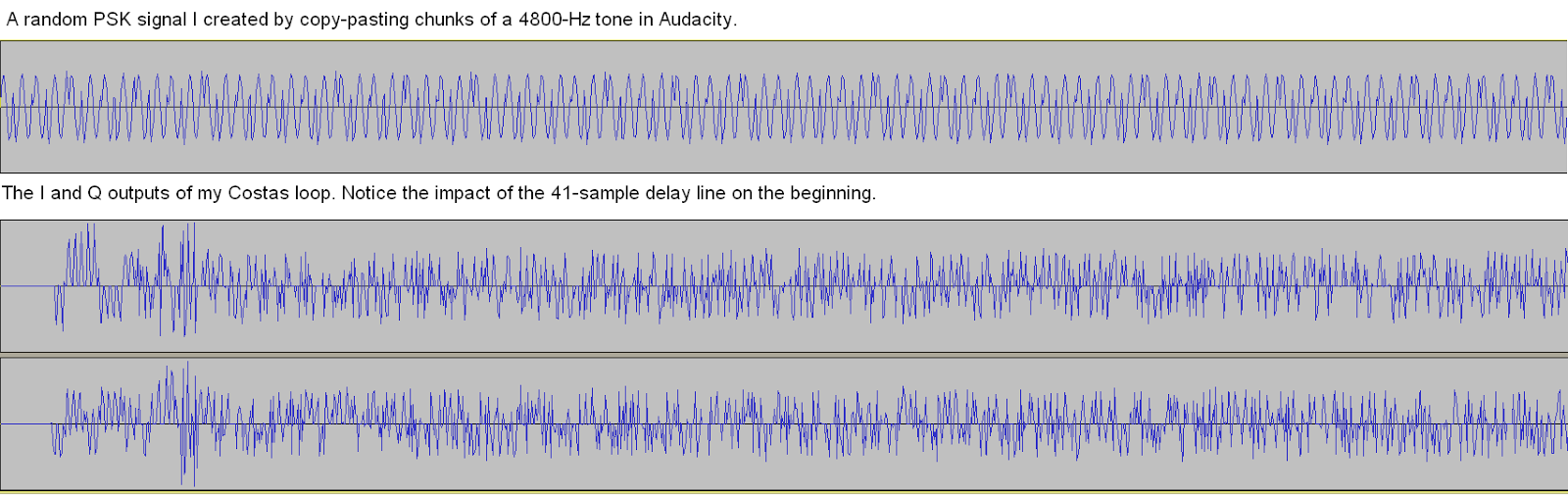
I've been busy lately so it's hard to find time to write posts. I've managed to look over some C# code by Lucas Teske and write a low-pass filter for my Java Costas loop. I did get some cool output in Audacity that looks kind of like digital symbols at the beginning.


What I'm mainly writing about, however, is a quick hack I learned about Commotion Internet radio. I wanted to listen to a station called Way FM on my Windows XP computer, but it wouldn't work in Opera or IE. The page remained silent without giving any errors. I was able to make it work on my Windows 8.1 tablet (Opera), Windows 7 x64 PC (Opera), and ZTE Sonata phone (the app), but it stubbornly refused to work on Windows XP. Using a mobile phone or tablet to listen was the only convenient way but it required keeping the screen on, which in turn usually means staying plugged in, which is hard on the battery, so this was not ideal.

I kind of knew that it was because Opera for XP won't play MP3 for some reason. I've had trouble on websites with HTML5 embedded MP3's and had to download them to hear them. I did an unsuccessful Google search about this problem with Commotion Internet radio so I looked at the page source and expected to have to find a weird JavaScript streaming system. I was surprised to see an API Key field near the top, which indicated player code, and even more surprised to find the field underneath that contained a plain MP3 URL, which I copy-pasted into Media Player Classic and was able to listen to. It will sometimes buffer and even pause, but that also happens on the webpage.


I was concerned that this MP3 issue was a nail in XP's coffin, so this fix was fortuitous.

Monday, October 17, 2016

Charting cell tower activity

I wondered if cell tower activity slopes off during the night so I did a long-term waterfall using the method I described previously. I figured that since people do most of their talking, texting, and moving around during the day but leave their phone by their bed at night, there should be significantly less dynamic power change on the downlink as it gets later.

I chose half of the CDMA signal near my home, one of the ones Ywsia1 says has little activity. I also disabled the AGC so my SDRplay would not keep compensating on the gain reduction.

The picture below spans from 11:51 AM on Sunday, October 16, 2016 to 4:10 AM the next day with the usual 1 vertical pixel = 1 minute, with +/- <1 second accuracy.


Here's an annotated version:


To my surprise, the day did not show much activity but things really heated up from about 11:48 PM to 1 AM.

Thursday, October 13, 2016

Info on IS-95 (cdmaOne)

IS-95, I'm told by several sources, is one of the signals I've seen and which is half of the double signal provided on my cellphones page. Recently I did some reading on the standard. It turns out it was the predecessor of CDMA2000, which a lot of modern phones use. You may notice if you have a Verizon phone that the Internet will go out and the top bar will say "1X" when a phone call is in progress. That's your phone dropping 3G (or 4G) and switching down to CDMA2000 to make or receive the call. My phone, however, is on Cricket and switches down to 4G from LTE when I make calls.

IS-95 looks easy to decode because it only uses QPSK, never QAM. I found an interesting college lecture on the standard: http://www.pitt.edu/~dtipper/2720/2720_Slides9.pdf.

You'd think that IS-95 networks would have been shut down long ago, but like analog cell phones they may be required by law to keep the networks going until the FCC decides, or maybe enough people still use 2G phones that it's worth it.

When I contributed the first 3G signals on sigidwiki.com, Ywsia1 was quick to identify them and noted that he couldn't hear much traffic being handled (you can tell if you use AM). That's understandable, considering how far out I live, so when I was near Hanahan recently I recorded about 2 minutes of what appears to be IS-95. Look at an excerpt from the PDF linked above:


When I measured the bandwidth of the vast majority of the energy contained in the signal, it spanned from 862.281 to 863.509 MHz. That's 1.228 MHz! You can find a copy of this signal on the cellphones page.

When I recorded the sample I used slightly more amplification and aimed the antenna better, so if you measure the width you may come up with a little more. However, when the signal wasn't so strong, most of the energy was indeed contained within precisely 1.228 MHz.

[Update 10/14/2016]

CDMA2000 is considered 3G while IS-95 is 2G. I wondered if any modern phones could use IS-95, and I think I found a recent one on Amazon that can. Notice how it specifies both 2G and 3G CDMA.


----


I learned that a Costas Loop is instrumental in demodulating QPSK, so I spent a while yesterday trying to put one together. I took a 1200-baud Inmarsat signal and saved it into a 4800Hz wave file (pictured below).


Then I watched a YouTube video that explained the Costas Loop. I wrote a Java app that would multiply the I and Q channels by 2cos(ft) and -2sin(ft), respectively.

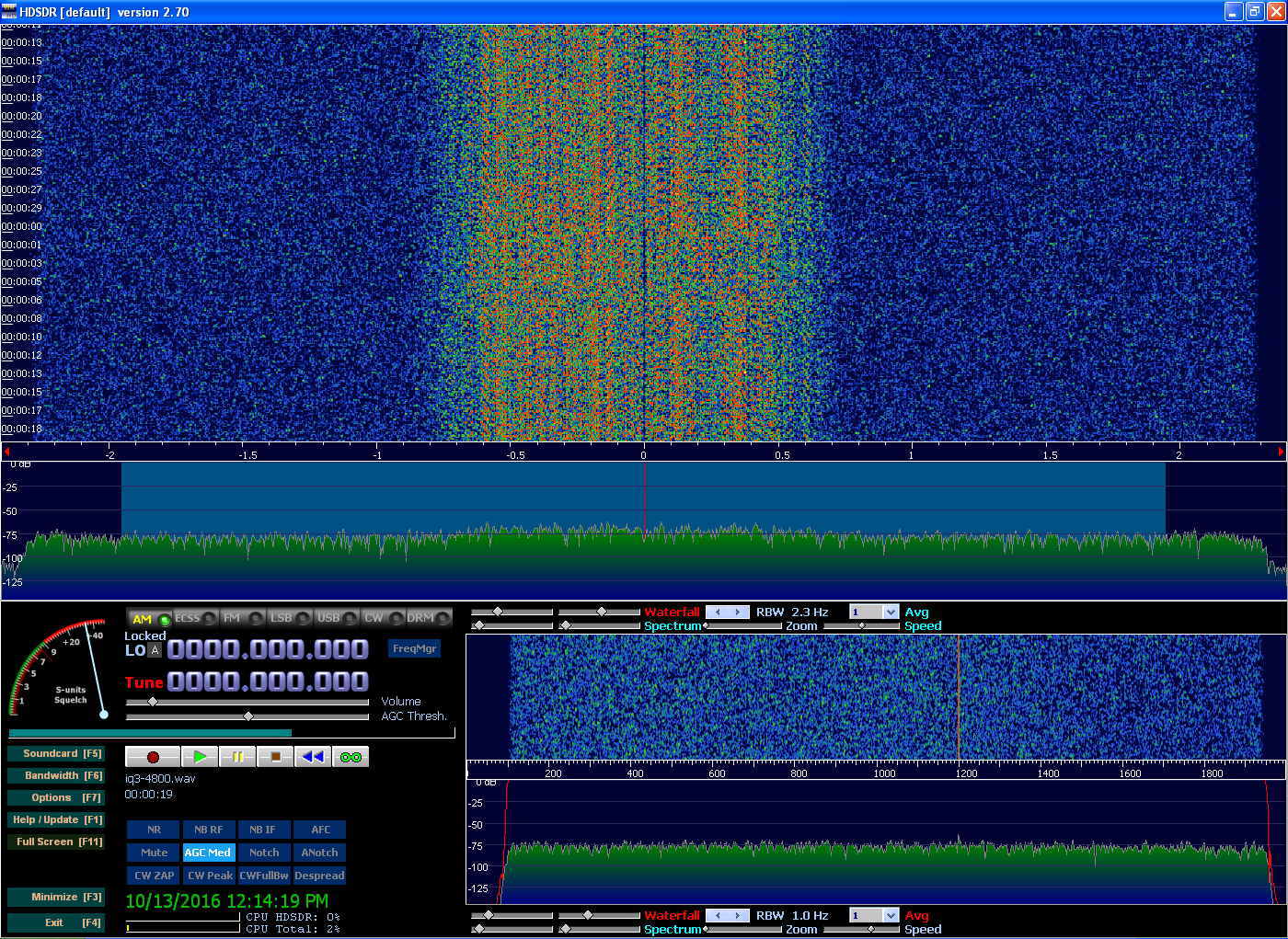
Once that was done, I combined the 2 channels back into a wave file and played it in HDSDR. I now had 2 peaks, one at -1200 Hz and another at 0 Hz. I was initially excited, thinking that the -1200 Hz peak meant I had guessed the rate on the first try and my program had found something, but I now think it may be entirely generated by the program and that the peak would be at any frequency I had entered.

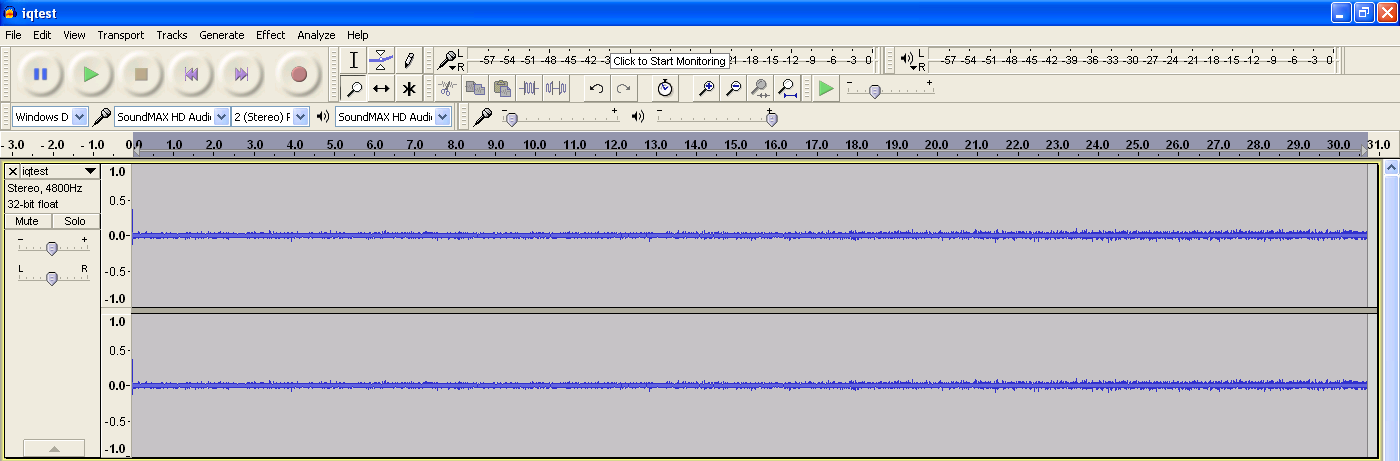
Anyway, the next step is to low-pass filter the output so you don't get the high mixer product. I didn't know how to low-pass outside of Audacity so I skipped that step and just opened the resulting wave file in Audacity. I used the Nyquist command (mult (aref *track* 0)(aref *track* 1)) to multiply the tracks by each other and see if any error signal would show up. To my surprise, both tracks became completely zeroed out. I wondered how that could be, so I did Undo, amplified the original tracks, and then re-did the Nyquist. This time, it stayed flat for almost the whole file and then slowly ramped up. Click to enlarge.


This seems like a slowly-increasing error signal, but I couldn't be sure because I had skipped the low-pass step. Today I used Audacity to do that. I amplified first, then tried to do a 2400 Hz lowpass filter, but it told me that was impossible since my file was 4800 Hz. Then I realized that I had to enter 1200 Hz. After that I used the Nyquist command to produce the error signal and got this:


Here is the "error signal" both amplified and zoomed in:


There was a huge peak in the original file, so I don't know that that matters much.

Wednesday, September 21, 2016

Centering (downmixing) a signal

Ever want to record a signal but your SDR just didn't have a suitable bandwidth? That's an issue on the SDRplay. If you have a 2.5 MHz signal, for example, the least bandwidth you can use is 5 MHz. That's a lot to record when you just want one signal. And what if you need to use large bandwidth to offset the signal from the center so the DC spike doesn't mess it up? The DC spike can be a huge, almost insurmountable problem in the GHz bands. See the picture below.


Apparently if you record as a WAV and open with Audacity, you can multiply both tracks by a sine wave to shift an off-center signal to the center. However, I don't know how you'd do this for a signal on the left since Audacity doesn't accept negative values.

Here's how it's done, based in part on advice from Steve the Fiddle on the Audacity mailing list:

  1. Open your IQ file
  2. Split it to mono and remove the right track
  3. Create a mono track and generate a sine wave of the desired frequency
  4. Make Stereo Track
  5. Open Nyquist Prompt and run this:
  6. (mult (aref *track* 0)(aref *track* 1))
  7. Remove one side (both will be the same) and save as a mono wav file.
  8. Repeat with the right channel.
  9. Open a new Audacity project and combine the 2 files you just created.
  10. (Obvious) The original left channel (I) must be the left channel in the resulting file, and the same with the right channel (Q).
  11. Finally, see that it worked using HDSDR or something similar.


This is what it looked like when I used a 550 kHz tone. You can see that it's not perfectly centered because 550 kHz was not quite right, but it's very close.


Seeing the double signal, I initially thought I had created a lower sideband but upon closer examination I saw that it was not mirrored like AM should be, but rather duplicated, so this apparently works. You can see the faint carrier at both plus and minus 550 kHz along with the higher, non-mirrored duplicate of the signal.

I then low-pass filtered in Audacity (Effect->Low Pass Filter) to 900 kHz to get just the desired signal.


Now it's much easier to see how off-center it still is. Finally, here's a picture of this in SpectraVue:


This has significant implications not just for analysis but for saving space on IQ recordings.